Show Drop-down Technical Keys in SAP ERP
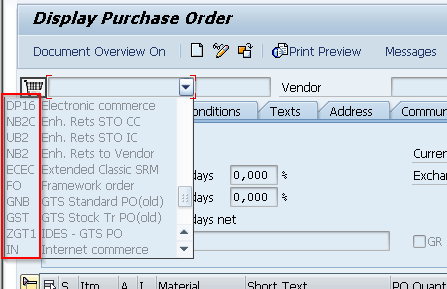
In addition to displaying transaction codes in the SAP tree you could also display technical keys in the drop-down lists. There are cases where the programmers or consultants will implement logic for automatic derivation of something based on purchase or sales order type or something else. In such cases end-users are usually using the full names where the programmers or the consultants will use mostly the technical keys. It could happen that for the duplication in the name of order type, but with different key as following example from IDES System.
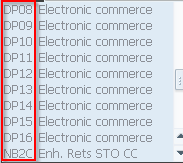
In these cases for better understanding and testing from the end-users, it will be necessary to show the technical keys in the drop-down menus.
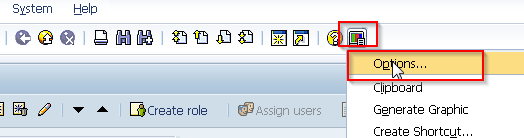
You could show the technical keys by clicking on the button for customizing the local layout -> Options.
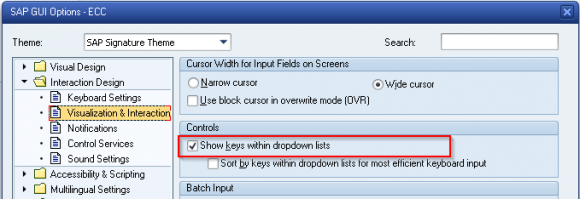
After the go to Interaction Design-> Visualization & Interaction and then flag the "Show keys within dropdown lists".
After confirming the changes you will immediately see the additional keys next to the names in the drop-downs as shown in the screenshots above.