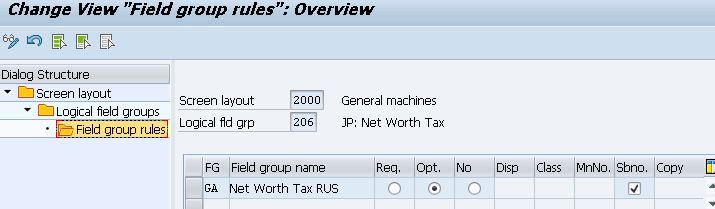
Define Screen Layout for Asset Master Data | S_ALR_87009044

In this FICO configuration activity we are able to define screen layout for asset master data. Here you could maintain which fields will be mandatory, optional or hidden.
Transaction: S_ALR_87009044
IMG Path: Financial Accounting (New) -> Asset Accounting -> Master Data -> Screen Layout -> Define Screen Layout for Asset Master Data
Tables: T082G, T082B, T082T, T082A, T082H
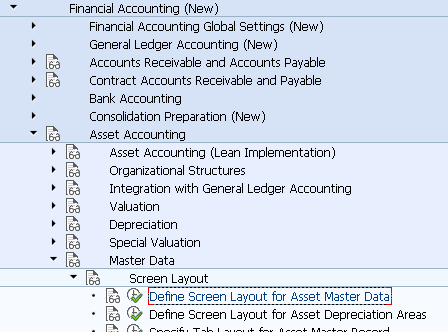
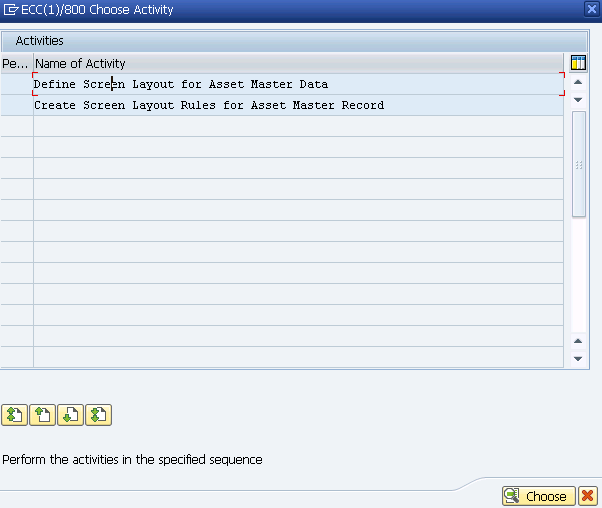
You will get a selection screen when you start the transaction. Click on the first option to enter into the definition of screen layout. The second option will redirect you to creating screen layout.
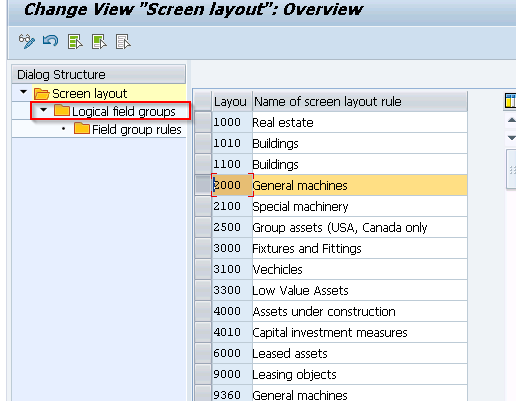
On the first configuration screen you will see a list of screen layout keys already created. Highlight one of them and click on "Logical field groups".
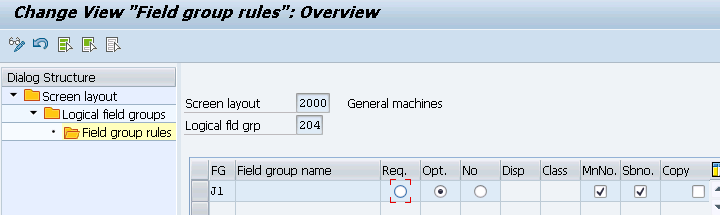
On the following screen, again, you will have to highlight some of the groups and go to "Field group rules"
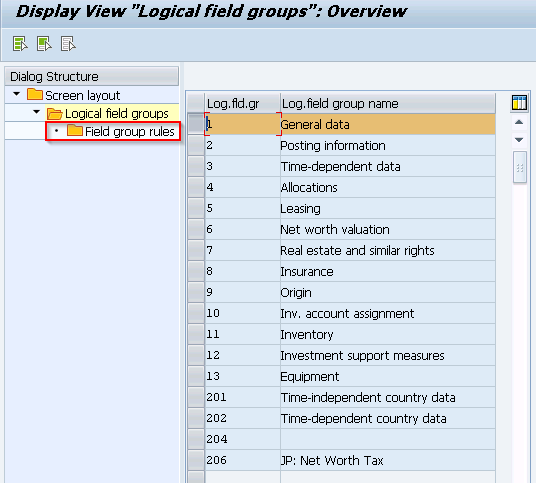
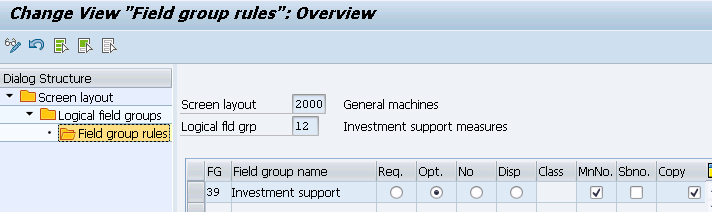
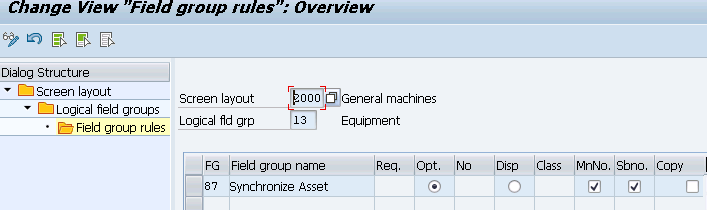
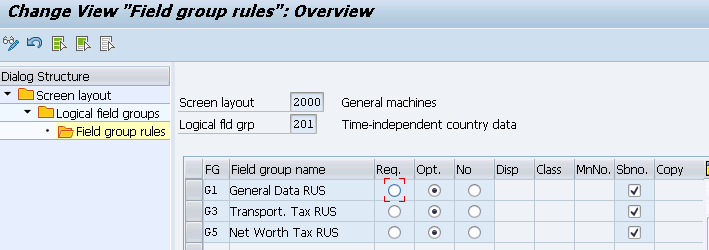
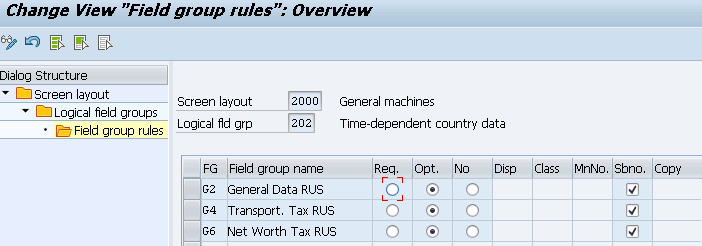
On the following screens you will be able to maintain your settings according to your needs.
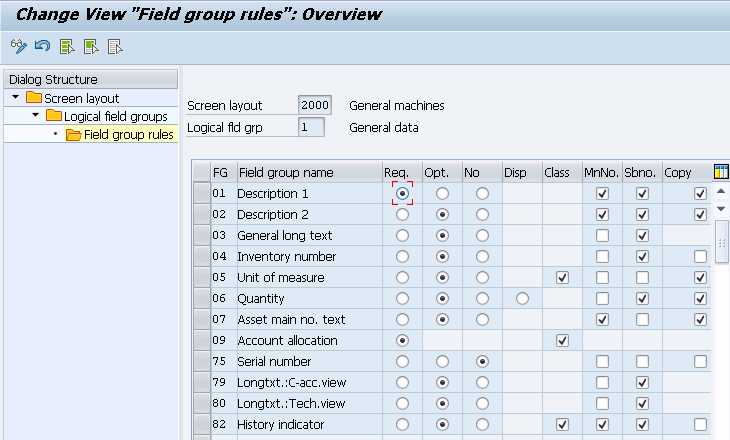
General Data
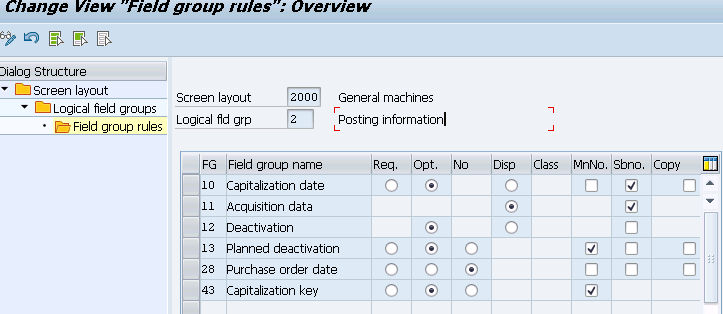
Posting information
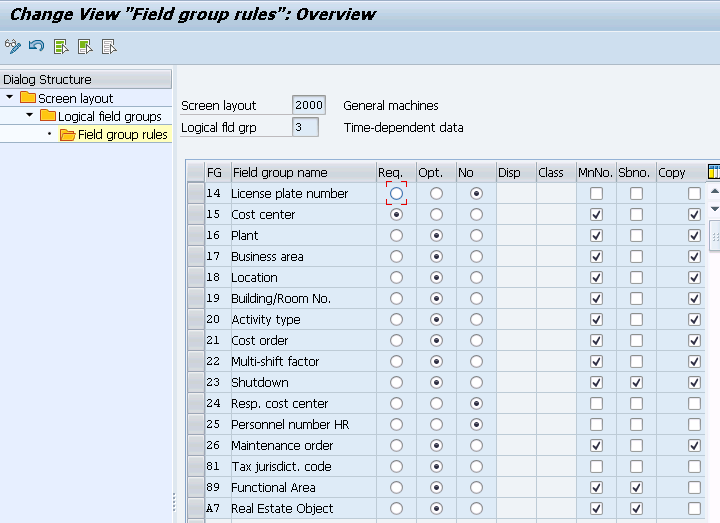
Time-dependent data
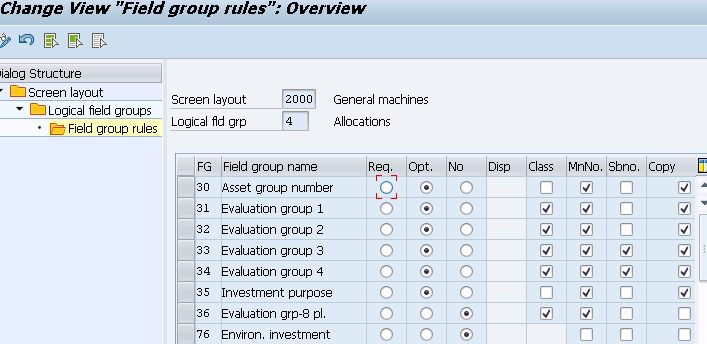
Allocations
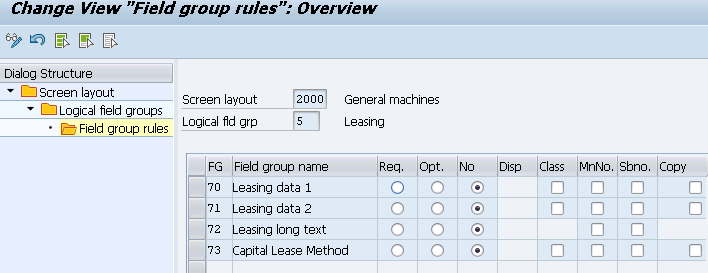
Leasing
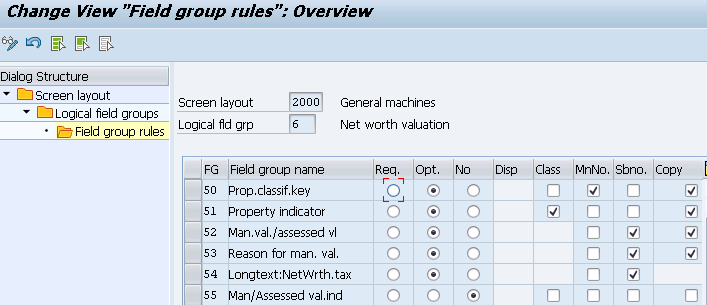
Net worth valuation
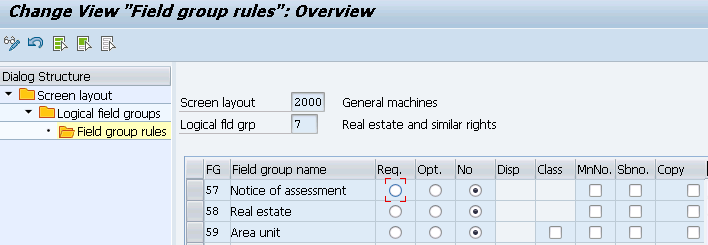
Real estate and similar rights
Insurance
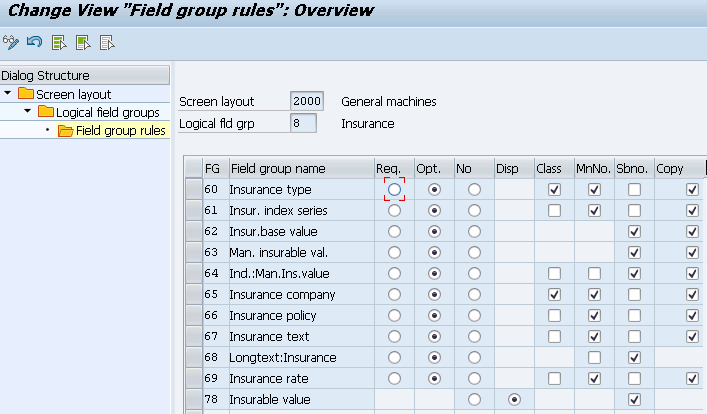
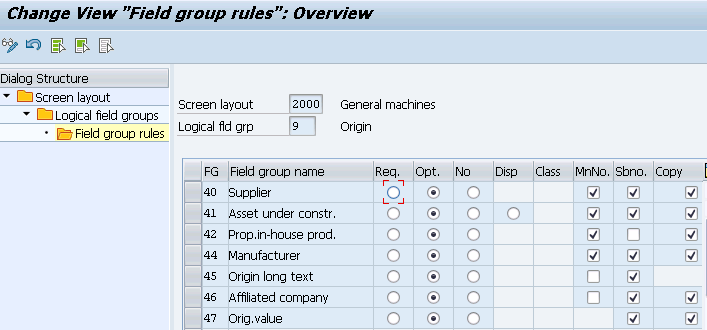
Origin
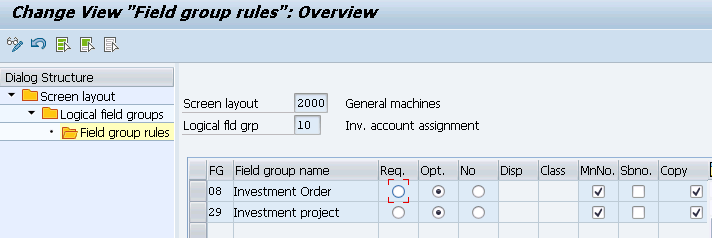
Investment account assignment
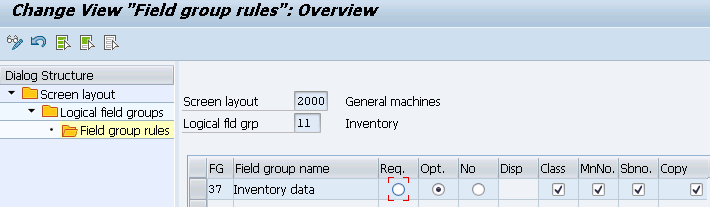
Inventory
Investment support measurees
Equipment
Time-independent country data
Time-independent country data 2
J1
JP: Net Worth Tax