Define Fiscal Year Variant | OB29

After we already created a company and company code it is time to move on fiscal year, posting period variant and chart of accounts configuration before step in to creating controlling area. Fiscal year variant is used for ensuring the correct period posting of the accounting documents . Fiscal year could be based on the calendar year as well as based on your needs, e.g April-March. The periods could be 16 in total where 12 are equivalent to the calendar months of the year, but the remaining 4 could be used for the year-end closing activities.
Transaction: OB29
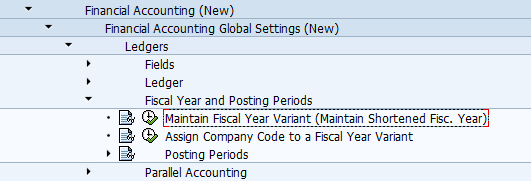
IMG Path: Financial Accounting (New) -> Financial Accounting Basic Settings (New) -> Ledgers -> Fiscal Year and Posting Periods -> Maintain Fiscal Year Variant
Table: T009, T009B
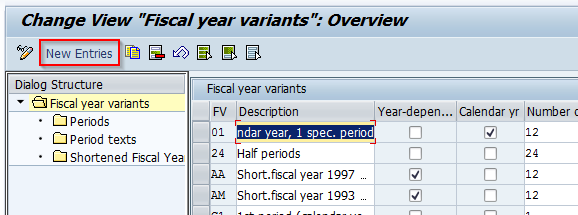
1. Click on the New Entries button to create new fiscal year variant
2. Fill the necessary fields and click on "Periods" if your fiscal year is going to be not identical to calendar year
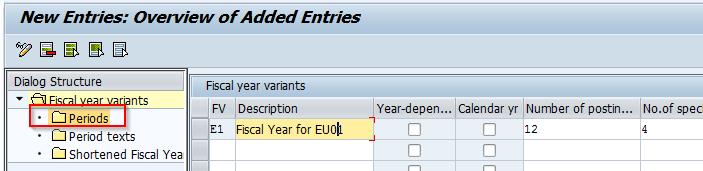
3. System will save the entry and now it will be necessary to mark the row and double-click on Periods.
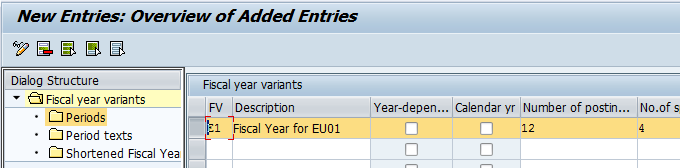
4. In the Periods section you could not click again on New Entries button.
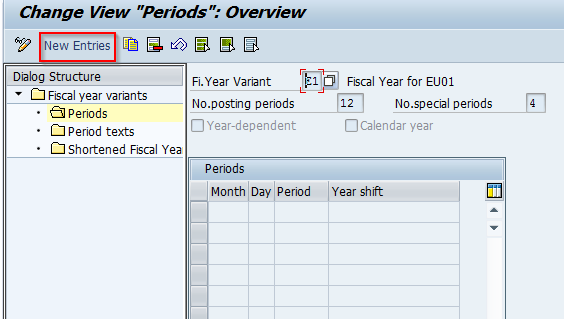
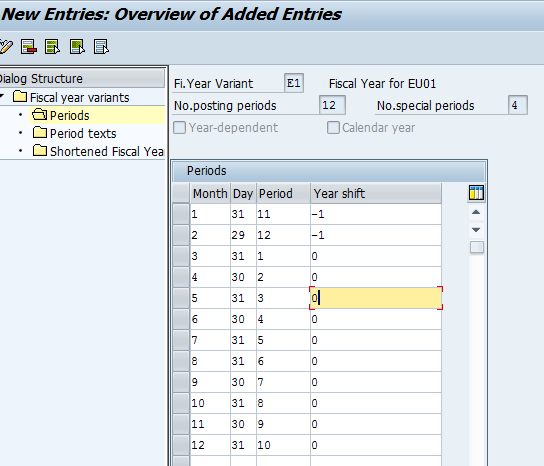
5. Set your accounting periods as you wish. This is an example of March - February Fiscal Year. Click on Save after you fill the necessary entries.