Create Company Code | OX02

Company code is the most important organizational structure for Accounting. It is mandatory and you will not be able to do anything without it. A lot of the objects in SAP ERP are assigned and are depended on Company Code, so in the most cases you will start with that.
Transaction code: OX02
IMG Path: Enterprise Structure –> Definition –> Financial Accounting –> Edit, Copy, Delete, Check Company Code
Table: T001
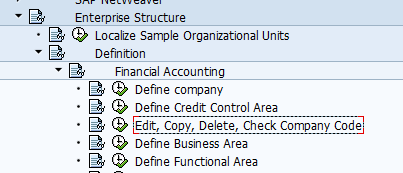
If you use the transaction code you will not get the following selection screen.
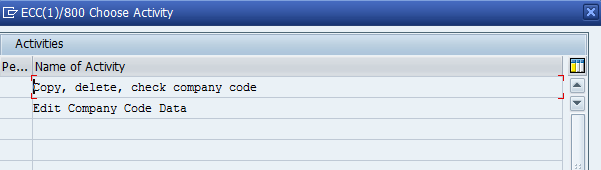
First chose "Edit Company Code Data" and choose "New Entries" :
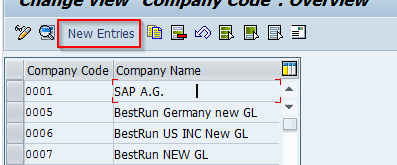
Click on New Entries and fill the necessary data and hit Save or use the button for mail.
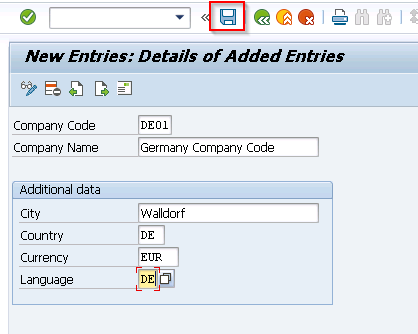
You will have to fill the Address Data:
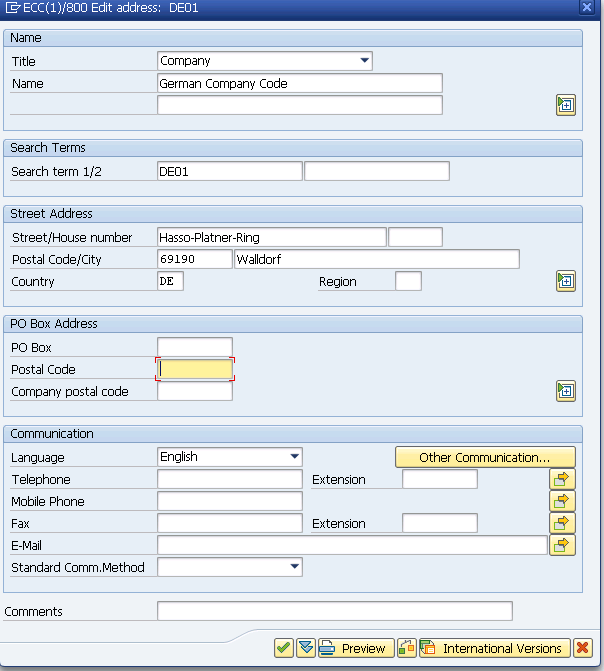
Here you have the ability to create international version of your company code address data. After you enter the necessary data you will be prompted again for assignment of customizing request.
You could use copy option which derive from the template company code following data:
- Definition
- Global Parameters
- Customizing tables
- General ledger accounts (if you wish)
- Account determination
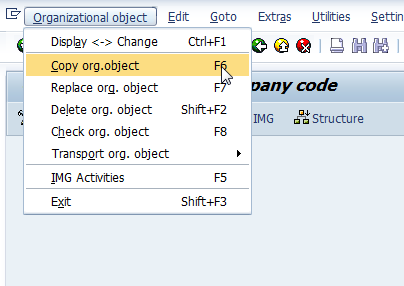
Choose Organizational object -> Copy org.object menu item.
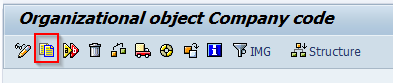
Or you could use the related button for copy.
Usually company code 0001 is used for coping template. If you run country installation program, then Company Code 001 will be overwritten with country specific parameters.
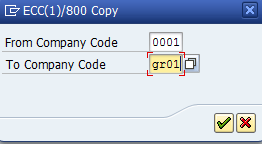
After hitting "Continue" button you will be prompted by the system for the different options that you want to be copied.