Archive
Activate Cost of Sales Accounting | S_ALR_87009606
cost of saless_alr_87009606t001
September 16, 2014
Before we move to defining Functional Areas, we should first Activate Cost of Sales Accounting. Activation is based on the highest organizational structure in FI - Company Code. When we activate it, we will be able to assign functional areas to different objects like - GL Account, Cost Centers, Cost Elements, Internal Orders, Fixed Assets, etc. With the help of it you are able to create income statements based on the defined functional areas.
Transaction: S_ALR_87009606
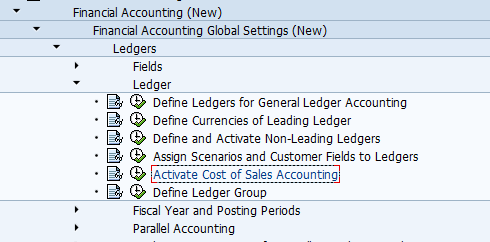
Financial Accounting (New) -> Financial Accounting Global Settings (New) -> Ledgers -> Ledger -> Activate Cost of Sales Accounting
Table: T001
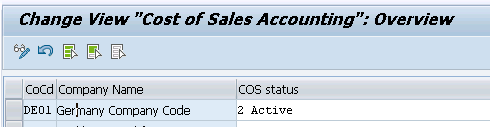
When you open the transaction, find your company and switch the field to "Active".